

Free electrical diagrams for everyone
QElectroTech, or QET in short, is a free software to create complex industrial electrical diagrams. You can also draw plumbing, geothermal, air-conditioning, layout, hydraulics, pneumatics, home automation, P&ID, photovoltaic or swimming pool diagrams.
Used all over the world, from the United States to Brazil and across Europe, by electricians, technicians, engineers, companies, schools and hobbyists, and translated into more than thirty languages.
Free for any use, including professional and commercial work. The diagrams you create are yours: the symbols of the collection can be used in them without any condition, whatever license you choose for your diagrams.
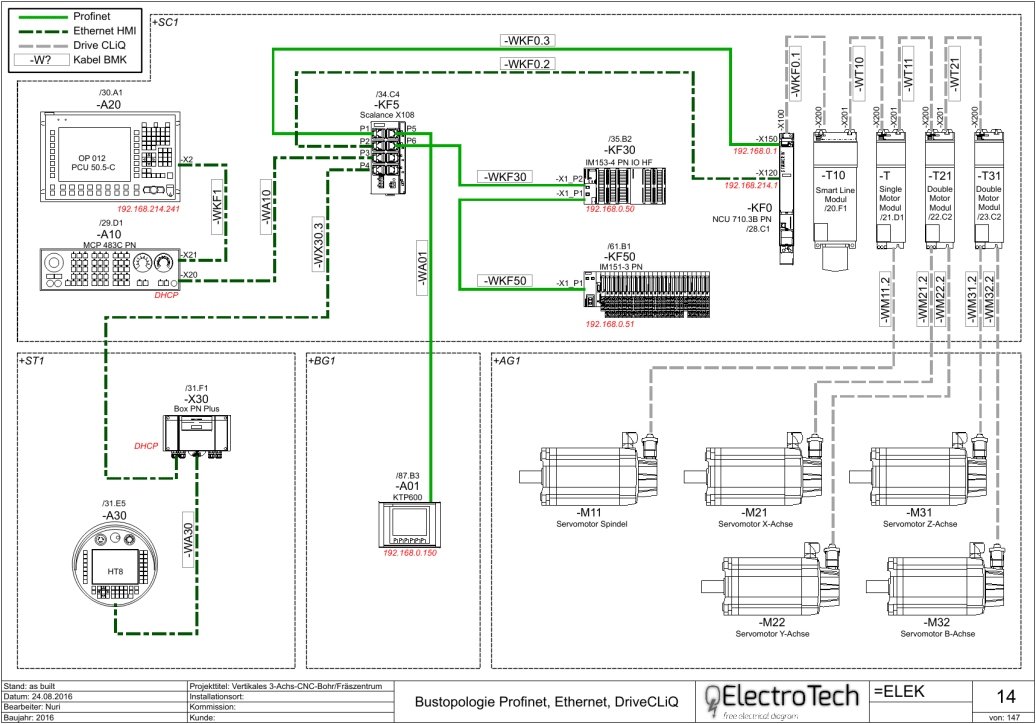
Why use QElectroTech?
Everything you need to produce professional electrical documentation, free of charge.
Free, with no strings attached
QElectroTech is free and open source software: no restrictive licensing, no privacy violation, no dependency on a company and no licence fees. You are welcome to make a donation to support the development.
On any operating system
QElectroTech runs on Windows, macOS and GNU/Linux. Files created on one system can be edited on another without any conversion. On Windows, the ready-to-use version even runs from a USB stick, without installation, on a computer with restricted access.
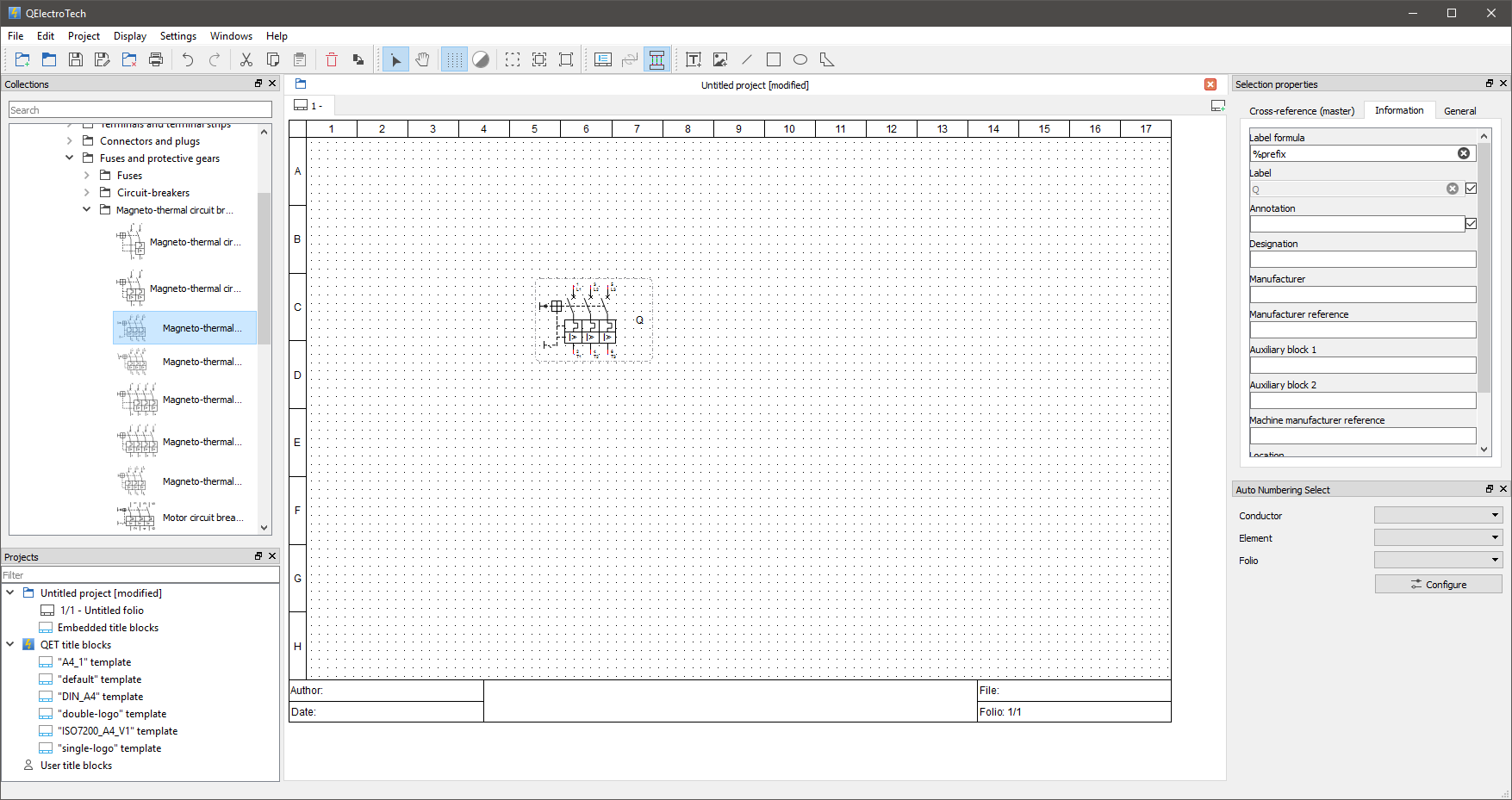
A modern interface
Toolbars and panels can be shown, hidden and moved to suit the way you work. Panels can be stacked as tabs, docked on the sides or detached as separate windows. The interface fits small and large screens, and multi-display setups.
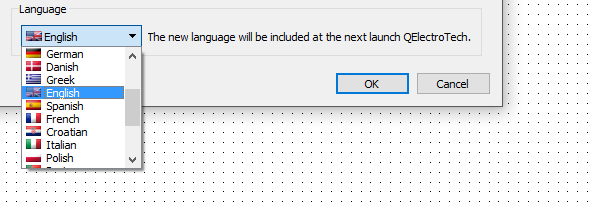
In your language
The interface is translated into more than thirty languages. Just restart the application for the selected language to take effect.
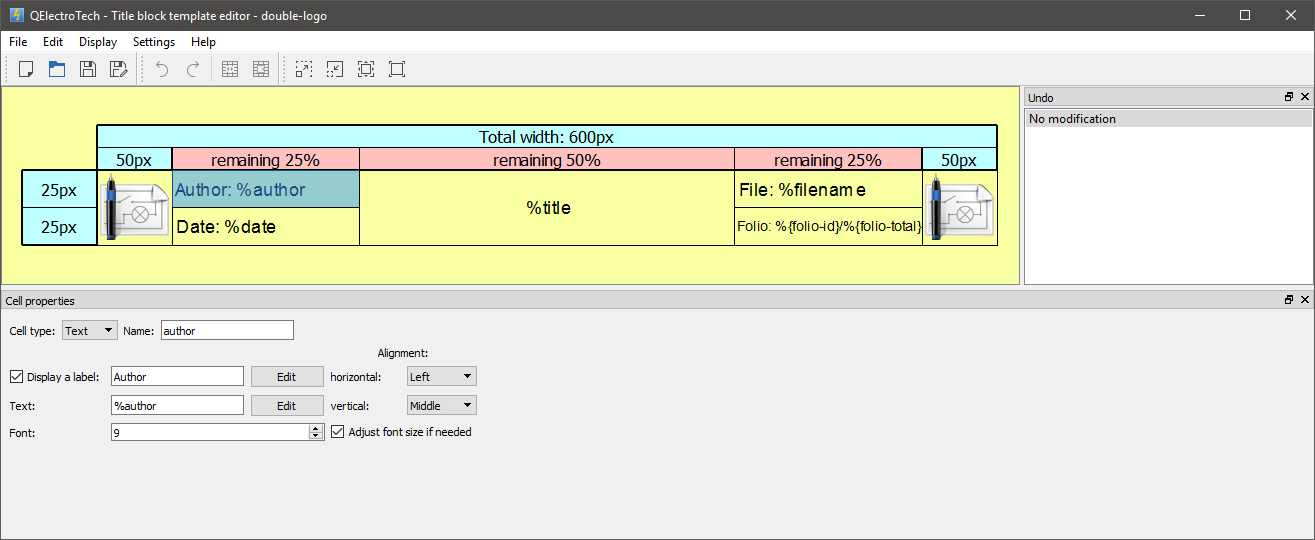
Professional-quality documentation
The size, look and information of the folios are fully configurable: rulers on or off, number and size of columns and rows. Title blocks are designed in the built-in title block editor, with custom variables to show the information you need.
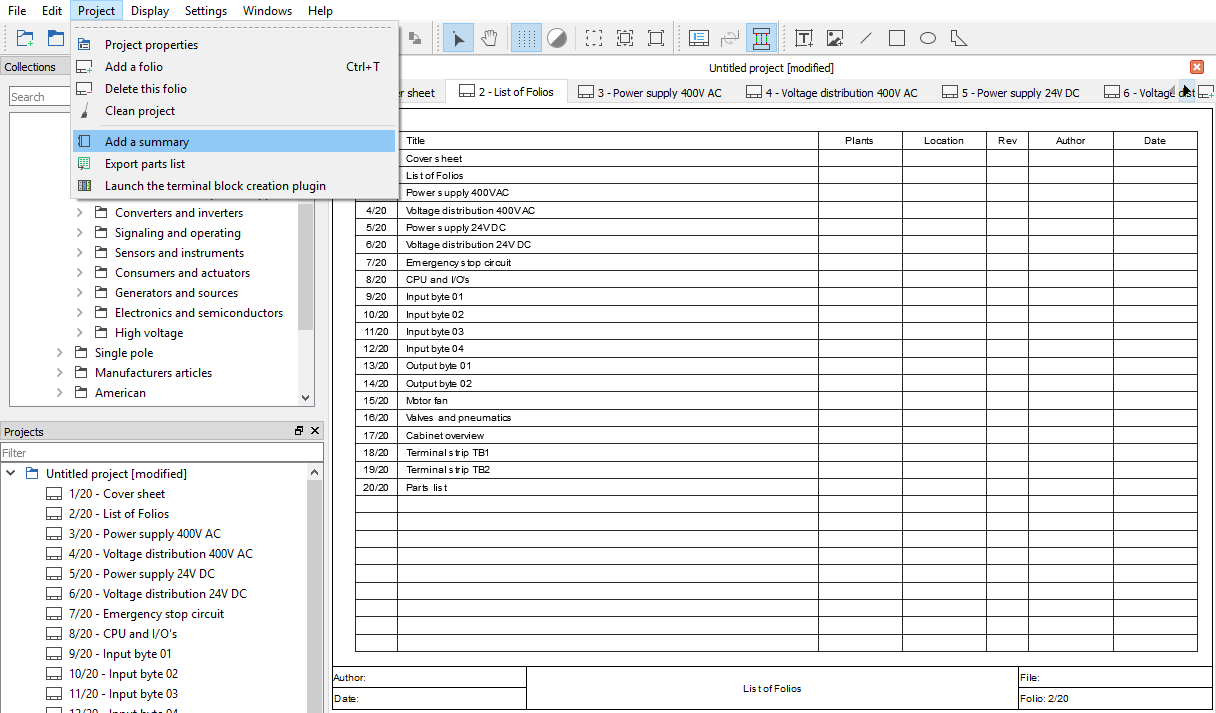
Automatic table of contents
Two mouse clicks add a table of contents that is generated automatically and kept up to date as your documentation changes.
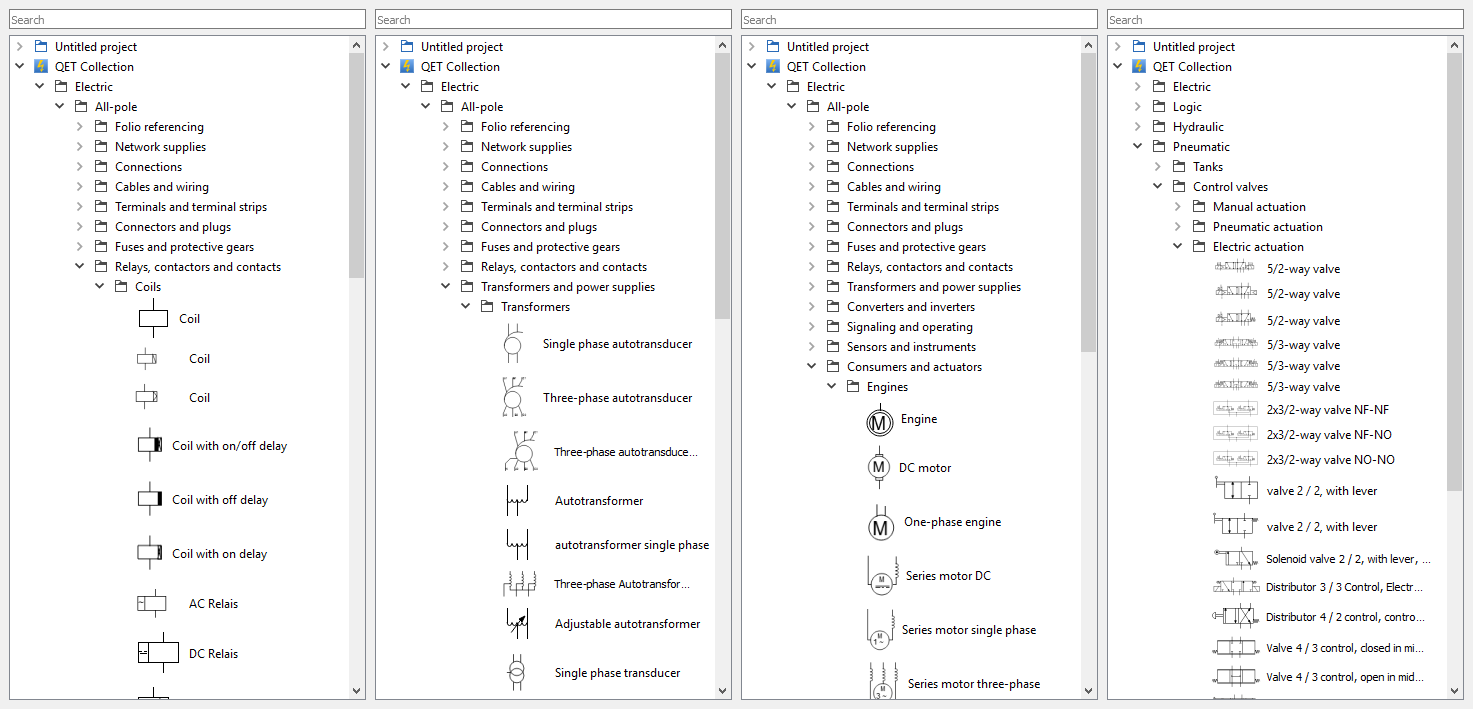
More than 8,200 symbols…
The built-in collection contains a rich library of electrical, logic, pneumatic, hydraulic and fluid symbols. It grows with every release thanks to an active community.
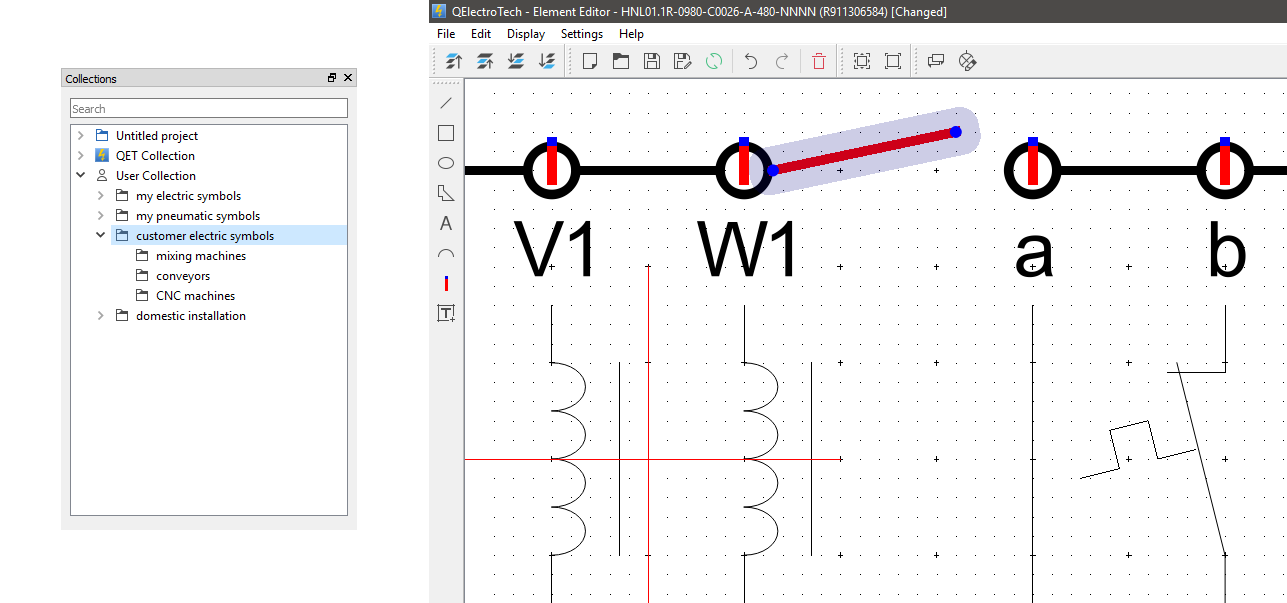
…or your own collection
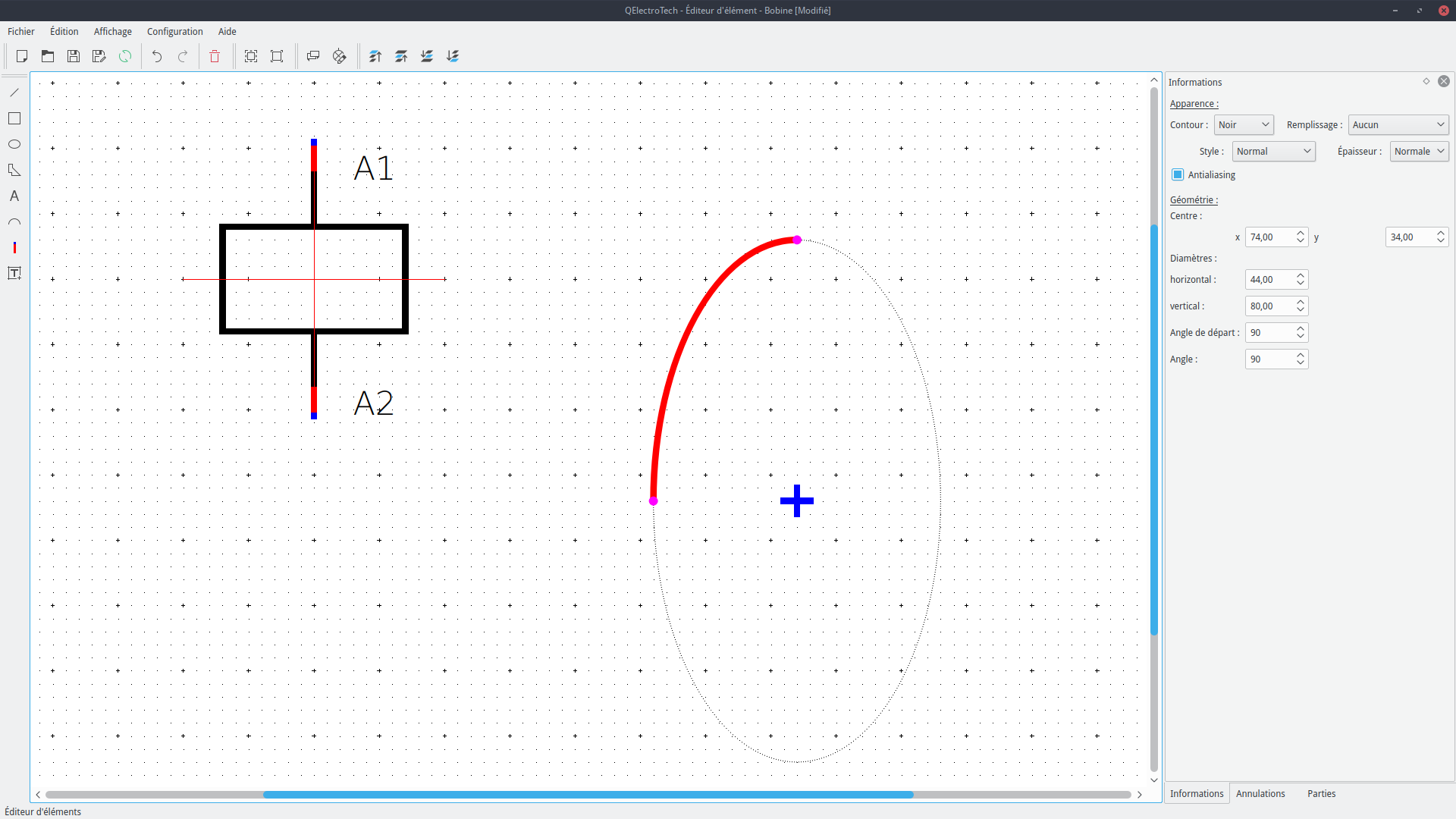
The built-in element editor lets you create your own elements, symbols or anything else. They are stored in your user collection.
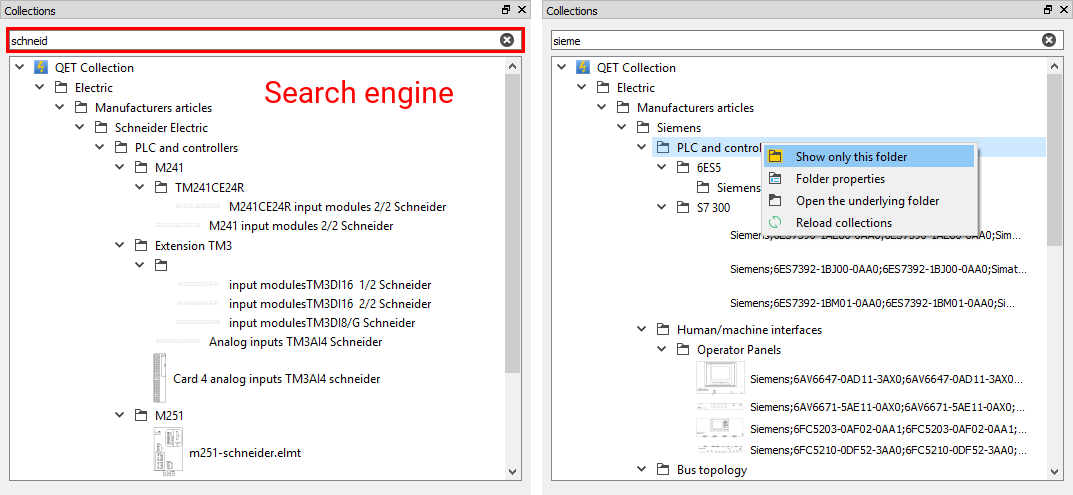
Find what you need quickly
Search all collections with the integrated search engine, and narrow the search to the folder of your choice.
Draw complex diagrams easily
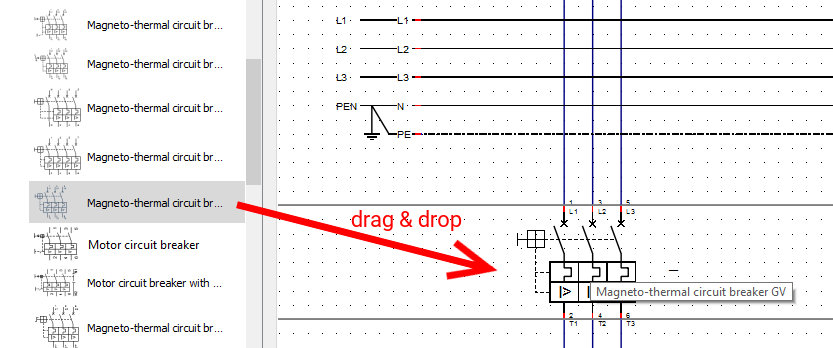
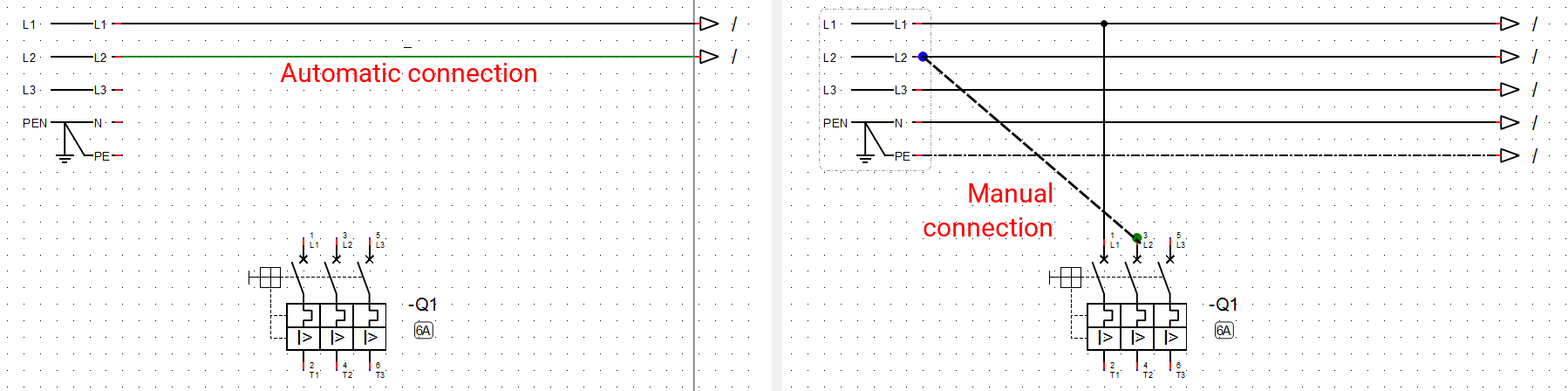
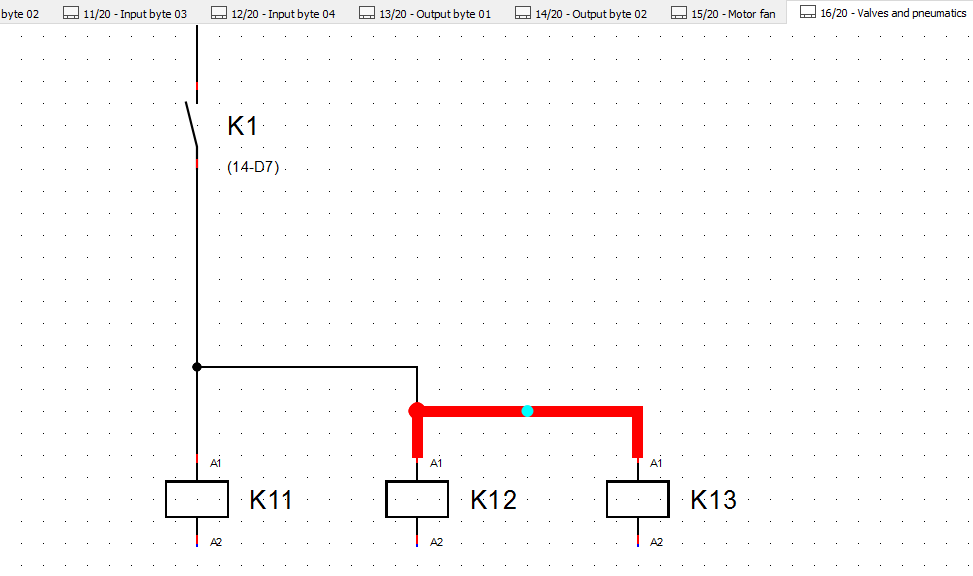
Drag and drop elements from the collection onto the folio. Aligned elements connect automatically; otherwise, draw a conductor from point to point with the mouse, then adjust its path with its handles. Zoom with the mouse wheel to catch the smallest details.
Cross-references
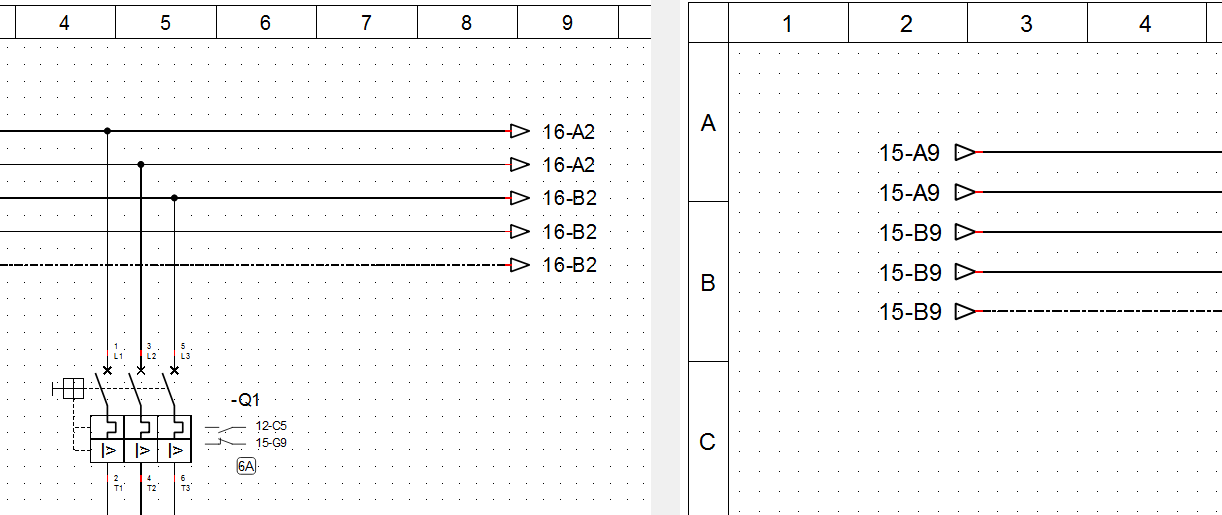
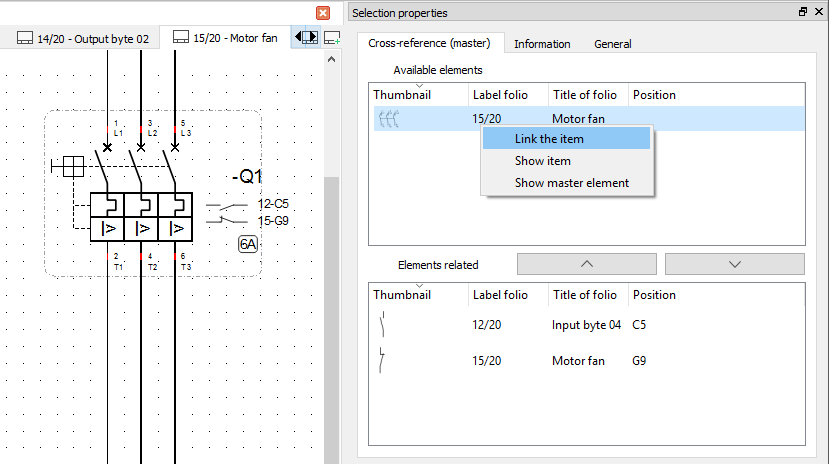
Link elements together to display cross-references. They are updated on the fly whenever you make changes, and linkable elements are easy to find.
Parts list
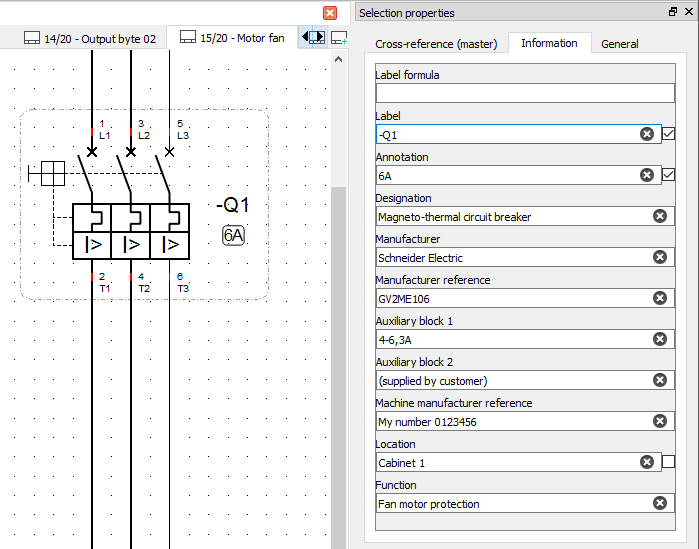
Export the information of all elements to a .csv file, and build your own parts list or bill of materials in any spreadsheet application.

And much more
- open and edit several projects at the same time,
- import images (.bmp, .jpg, .png, .svg) into your diagrams,
- add basic shapes (lines, rectangles, ellipses, polygons),
- set the thickness, line style and colour of conductors,
- define autonumbering patterns for conductors, symbols and folios,
- search and replace (Ctrl+F) across the whole project,
- export conductor numbers to CSV for wire marker printers,
- configurable bills of materials that can run over several folios,
- build your own tools on the open XML format of elements and projects.
Multi-folio projects
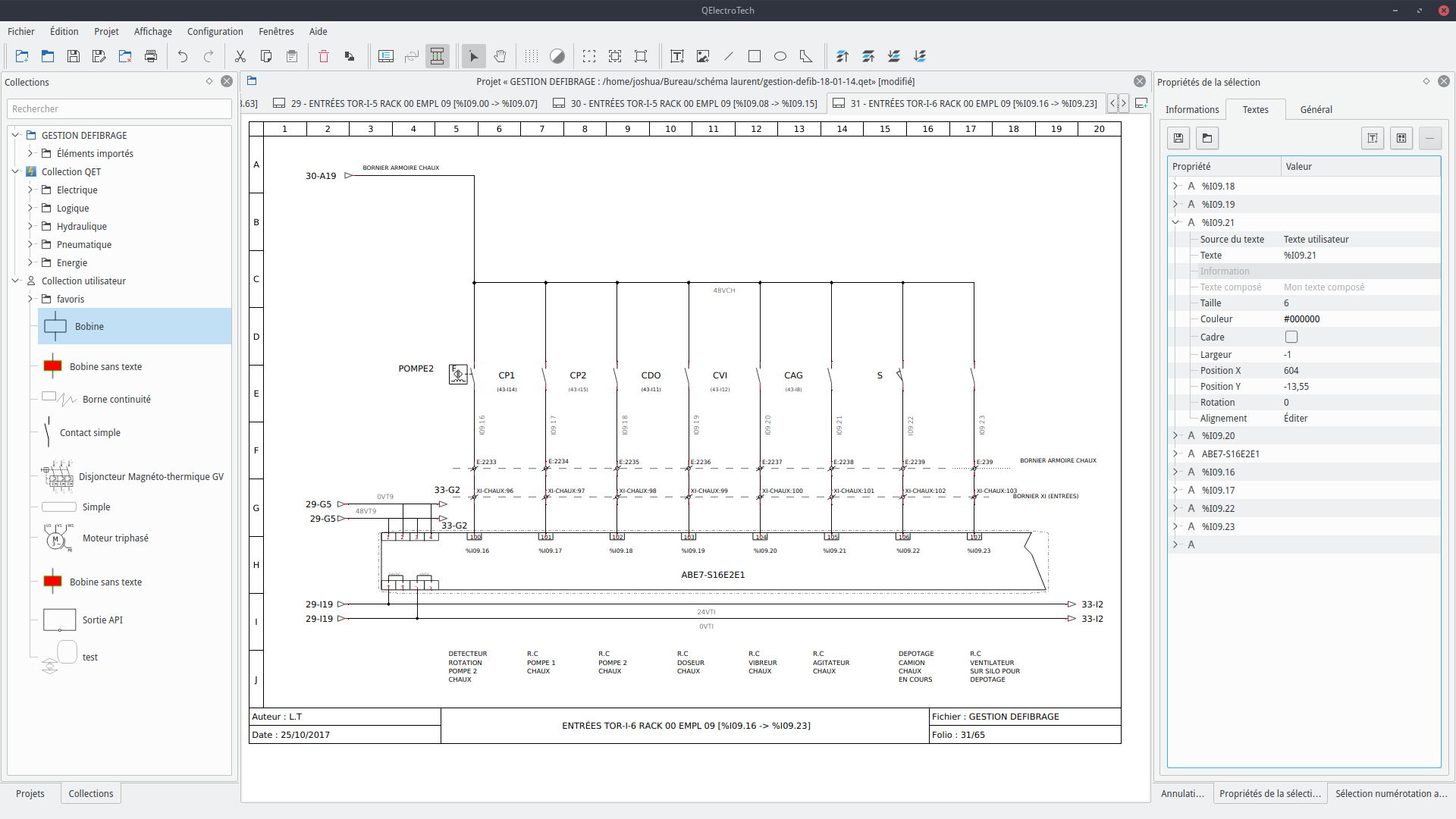
A project is a set of folios stored in a single .qet file, with its own elements. Drag symbols from the collection, link them with conductors, and let QET number wires and devices automatically.
Powerful element editor
Over 8000 symbols are included in the official collection. Create or modify your own elements, and share them with your projects or your team.
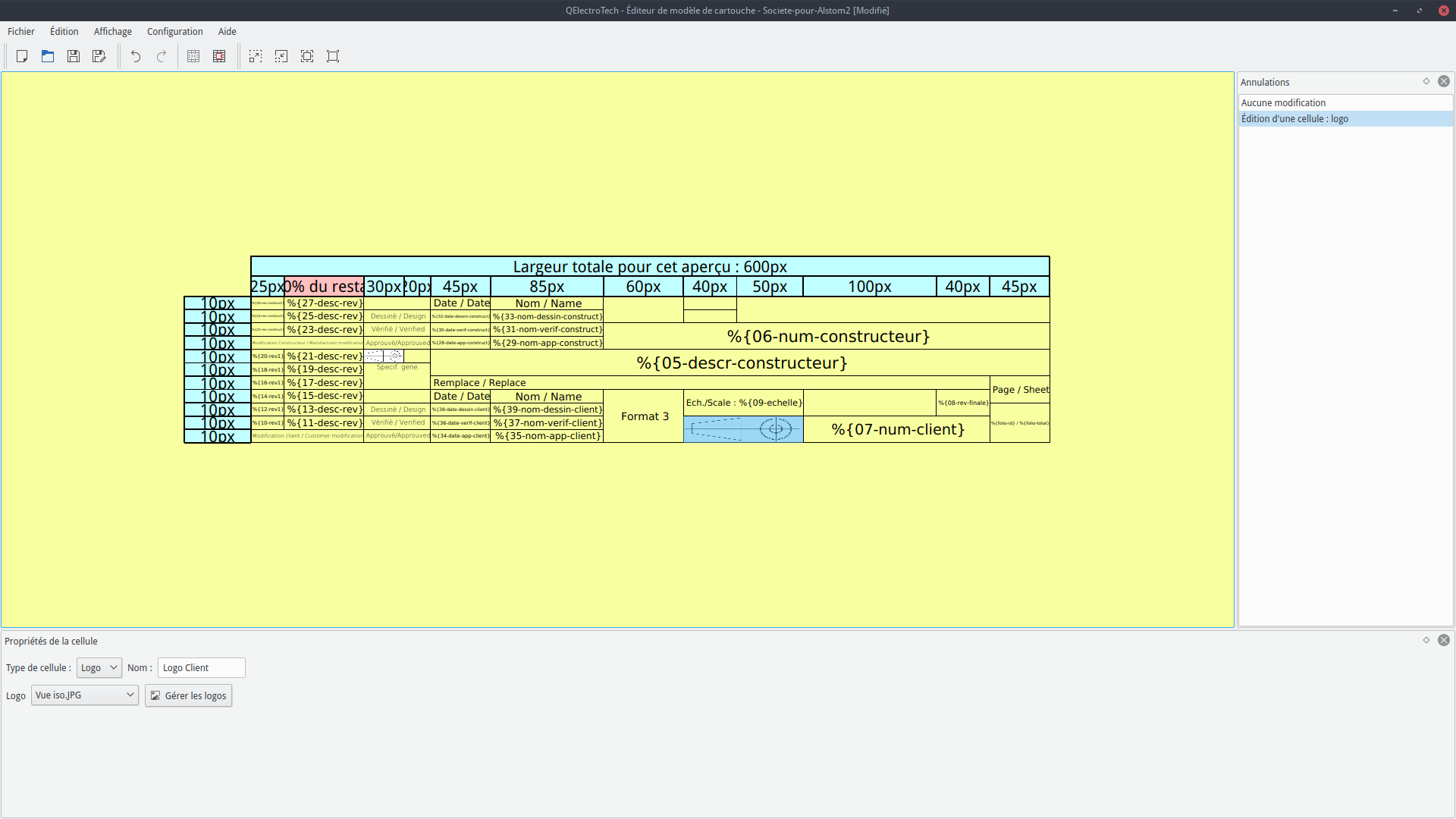
Custom title blocks
Design title blocks with your logo and variables (author, date, folio, customer…) that are filled in automatically on every folio.
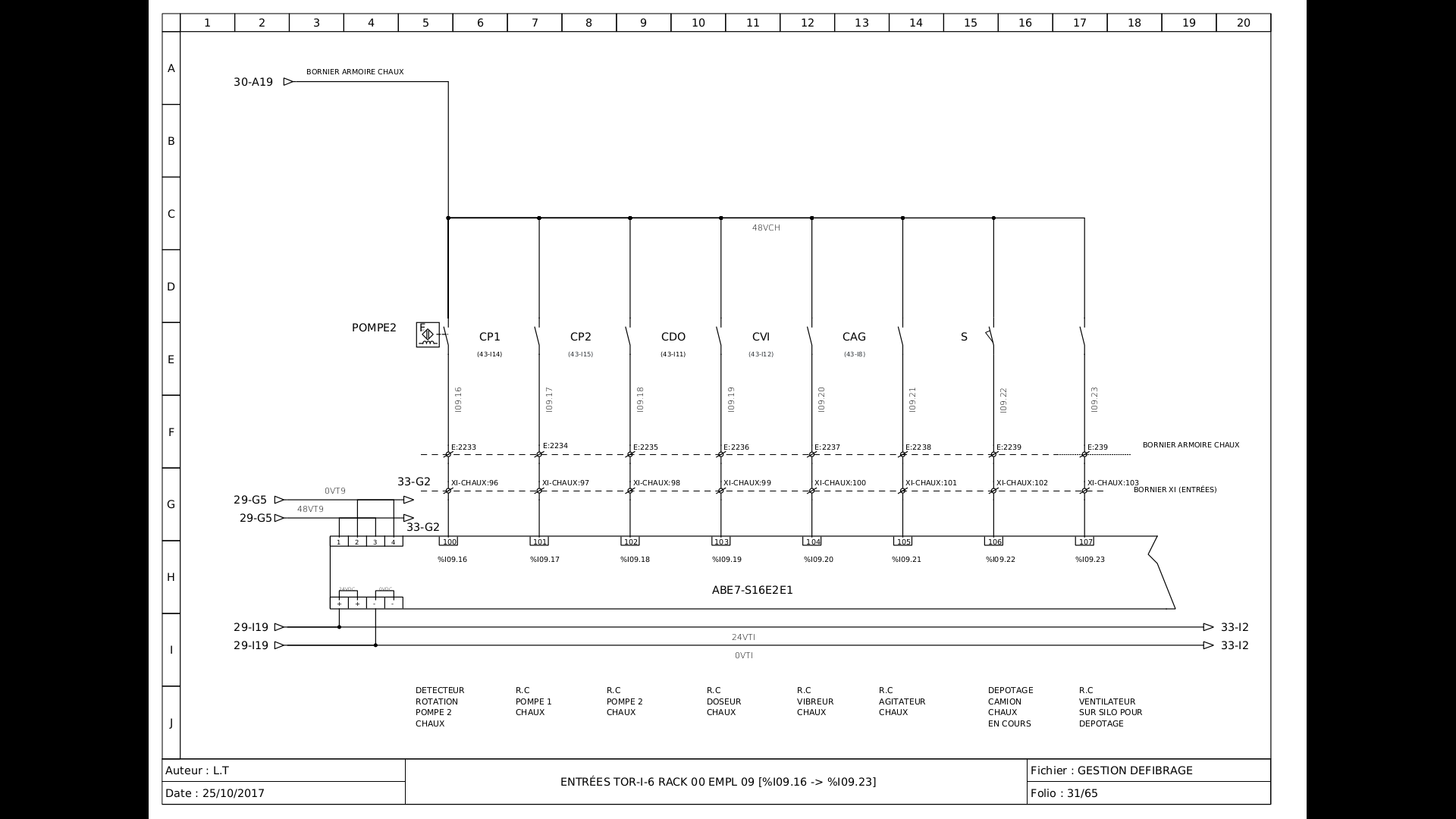
Print and export
Print your project or export it to PDF, SVG, DXF or images. Cross-references, a table of contents, terminal strips and a bill of materials complete your documentation. In exported PDFs, folio reports and cross-references (Xrefs) are clickable links that take you straight to the right folio. Everything is drawn in vector graphics (SVG), so you can print in large formats such as A0 without any loss of quality.
Works with AI assistants (MCP)
The development version 0.200 ships with qet-mcp, a Model Context Protocol server installed next to QElectroTech. Any MCP-compatible AI assistant can use it to work on your projects:
- read a project: folios, elements, conductors, texts, terminal strips;
- show what an edit really changed (project diff);
- place, move, label and wire symbols, or draw a new element;
- run design-rule checks (duplicate labels, unnumbered conductors…) and a readability check of the drawing;
- query the project database in read-only SQL;
- export without opening the window: PDF, SVG, DXF, PNG, bill of materials, cable and wire lists;
- write and test scripts that become buttons in the Scripts toolbar;
- live mode: the assistant works on the project open in your QElectroTech window; you see each action as it happens and can undo it with Ctrl+Z (off by default).
The server is plain Python with no dependencies, and works with MCP-compatible assistants such as Claude, Copilot, Gemini, Codex, Cursor or LM Studio. Documentation: MCP server, live mode, using it without Claude Code.
Get involved
QElectroTech is developed by volunteers. Every contribution helps.
Translate
QET is translated into more than thirty languages. Help us complete yours.
Code
C++ and Qt 6. Pull requests are welcome on GitHub.
Help others
Answer questions and share your projects on the forum.
Document
Improve the GitHub wiki and the user manual.
They support us

Soliton Controles Industriais Ltda
Soliton is a Brazilian engineering company that has been active for more than 30 years in the market of industrial automation, specializing in frequency inverters, direct current and servo drives, PLC and human/machine interfaces. Soliton is highly specialized in web tension control for film, foil, pulp and paper machines, extruders, printers, slitters, rewinders etc.
They participate in the code development and translation of QElectroTech to Brazilian Portuguese.

C-Born Engineering
C-Born Software Systems is an Australian consulting engineering company. For over 25 years C-Born Software Systems has created quality integrated hardware and software solutions for manufacturing industries around the world. C-Born is a consulting engineering company with expertise in a wide range of technologies, from embedded microprocessor control, real time operating systems, through large supervisory systems using web-based front ends, databases, SCADA systems and PLCs.
They participate in the code development for DXF export.

Open source ecosystems for better engineering
About Our Vision and Mission.
Modern engineering requires a multitude of specialist software tools. But as of yet, this “toolchain” consists almost entirely of commercially developed application programs, which increasingly can only be procured through expensive subscription models. Furthermore, their publishers try to drive customers into dependence through non-open (proprietary) file formats and cloud platforms (vendor lock-in).
We envision a world where all tools are intercompatible and have respective open formats.

Linergy Engineering GmbH
Linergy is a Germany-based company, specializing in lithium-ion battery systems.
Since 2012, Linergy has been developing and producing battery systems for high-tech applications for e-mobility, energy storage solutions, medical engineering and robotics. We are a reliable and customer-oriented partner for many technology companies in the fields of planning and development of battery powered products for industry and retail.
They participate in the Snap packaging.